
Watch Online:
Video Package: Download the HD version of the video(Format:zip,Size:29.7MB,Date:Aug 18,2026).
Swift Rigify is a Blender extension based on AI technology that can automatically match the Rigify humanoid meta-rig to a realistic 3D human model with just one click, saving animators a ton of time on manual rig alignment, and boosting rigging efficiency.
The Rigify workflow didn't have automatic rig matching for digital humans before, so animators had to spend a lot of time posing rigs for digital humans. It was really tedious, which held back the popularity of the Rigify workflow.
So we spent six months developing our own C++-based deep learning training and inference framework, and trained the AI models from scratch that can automatically generate correct bone positions for almost any realistic digital humans, including hand bones and facial bones, all with just one click.
We’ve already tested this product with Daz models, MakeHuman models, MB-Lab models, CC Character Bases models, Sloyd models, Mixamo models, and MetaHuman models, and the results show that the Rigify meta-rig matches realistic 3D human models really accurately. After that, you only need to do some simple tweaking.
By combining with other excellent Blender extensions, the Rigify workflow has become a complete loop, and using Rigify is no longer painful for users, but rather a fun experience.
Blender 4.2+
Linux(arm64/x86_64)
Windows 10-11(arm64/x86_64)
macOS 10.15+(arm64/x86_64)
Download the new version of the product.
Launch Blender, navigate to 'Edit->User Preference...->Get Extensions', click the small triangle besides the 'Repositories' dropbox to expand the contents, click the 'Install from Disk...' button, a pop up dialog will appear, select the downloaded zip file, click the 'Install from Disk' button on the pop up dialog, the extension will be installed to Blender's 'extensions->user_default' directory.
Download the new version of the product.
Before installing the new version, you must uninstall the current version.
Launch Blender, navigate to 'Edit->User Preference...->Get Extensions', click the small triangle besides this extension to expand the contents, click the 'Uninstall' button to remove the current version of this extension.
After having uninstalled the current version, install the new version of the product.
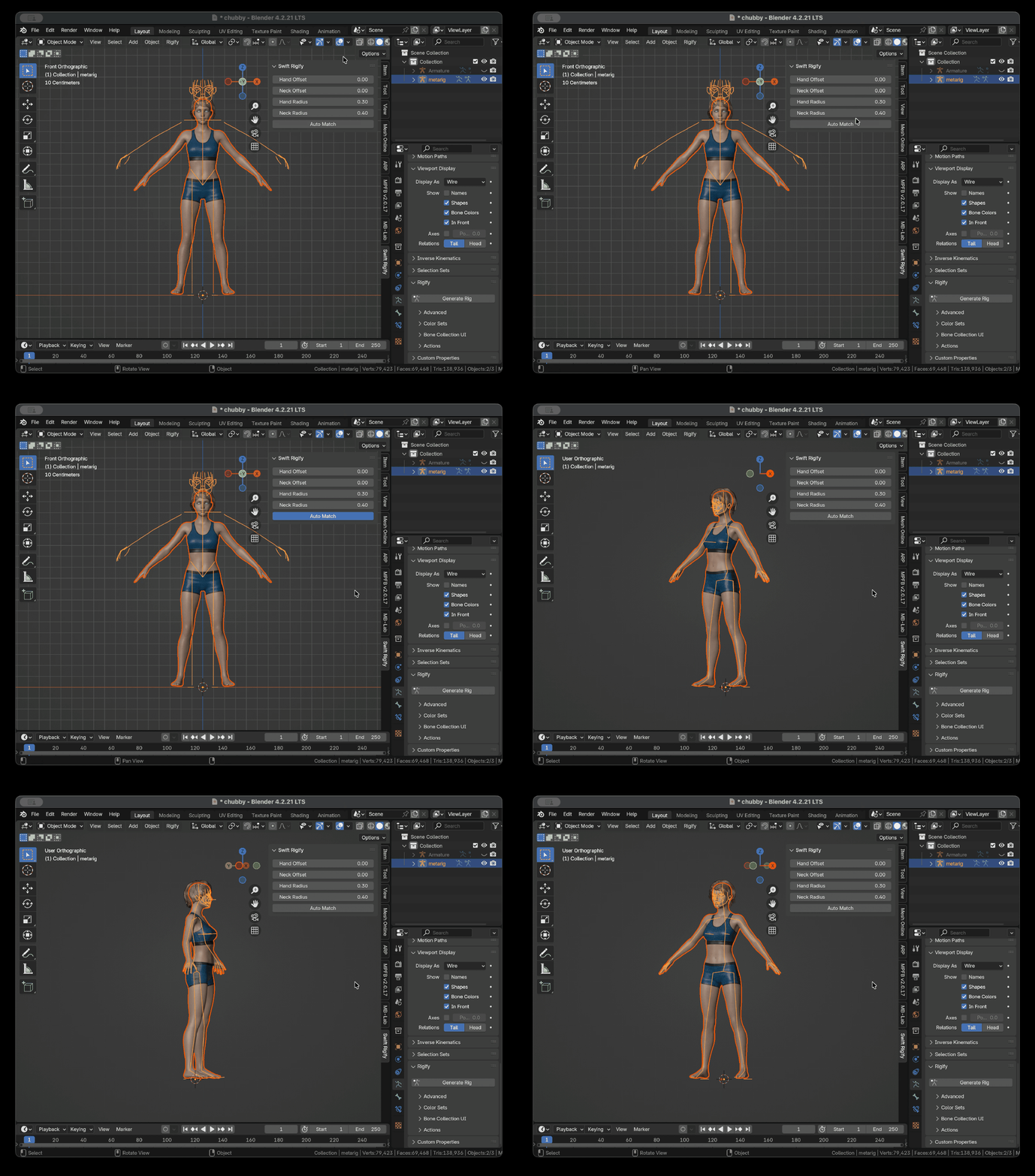
Raw result of automatic A-pose matching for Daz model
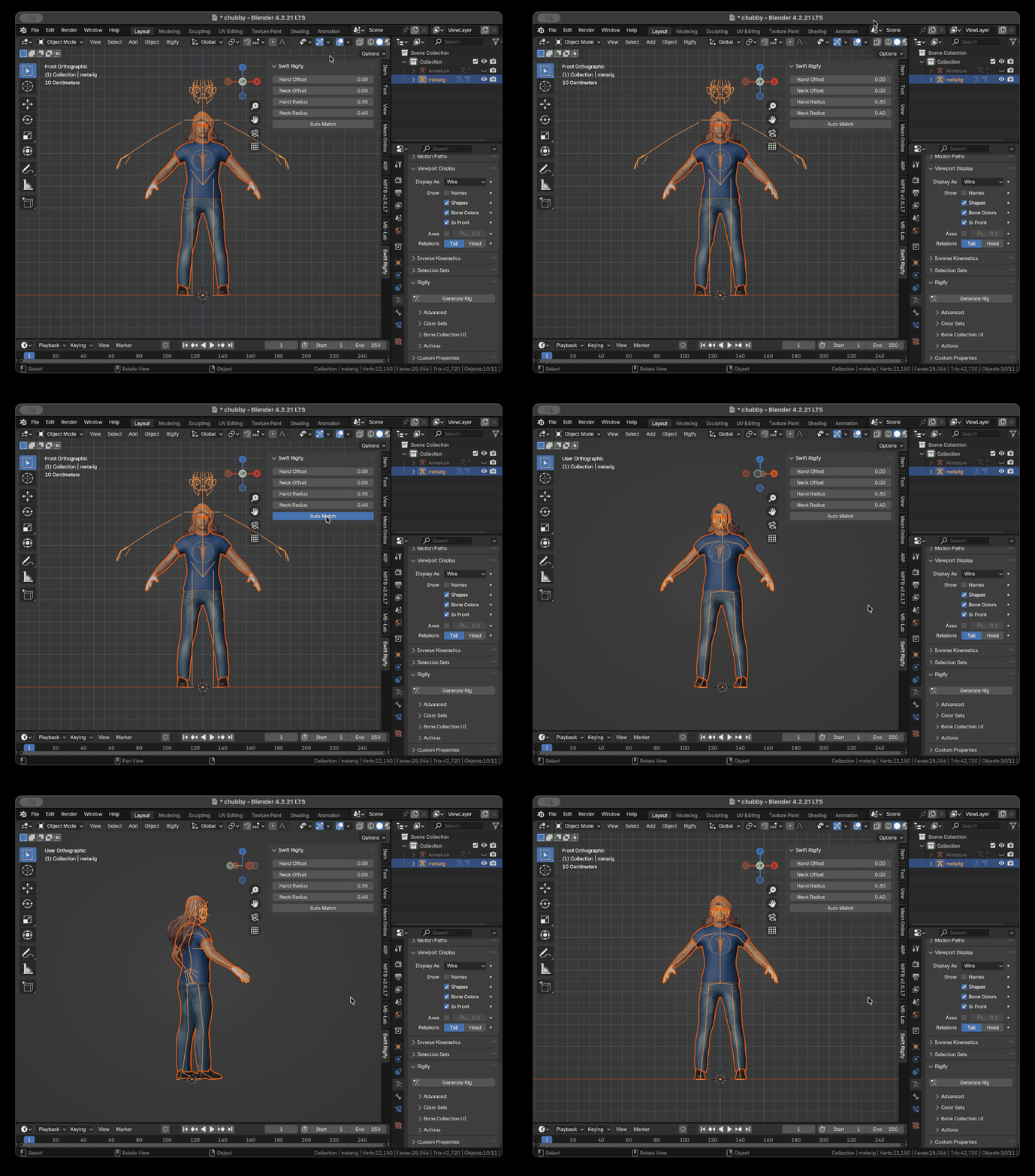
Raw result of automatic A-pose matching for MakeHuman model
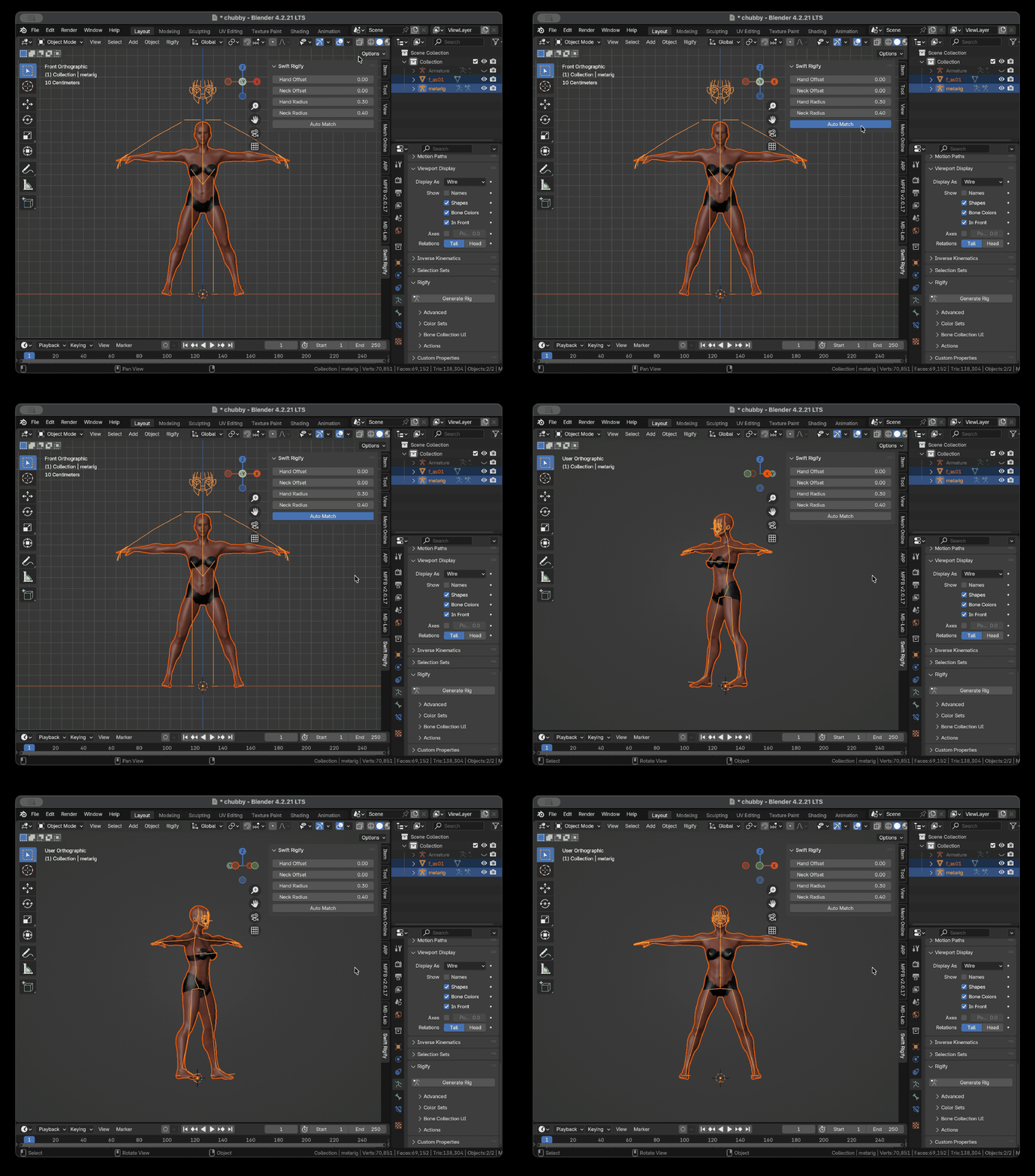
Raw result of automatic Star-pose matching for MB-Lab model
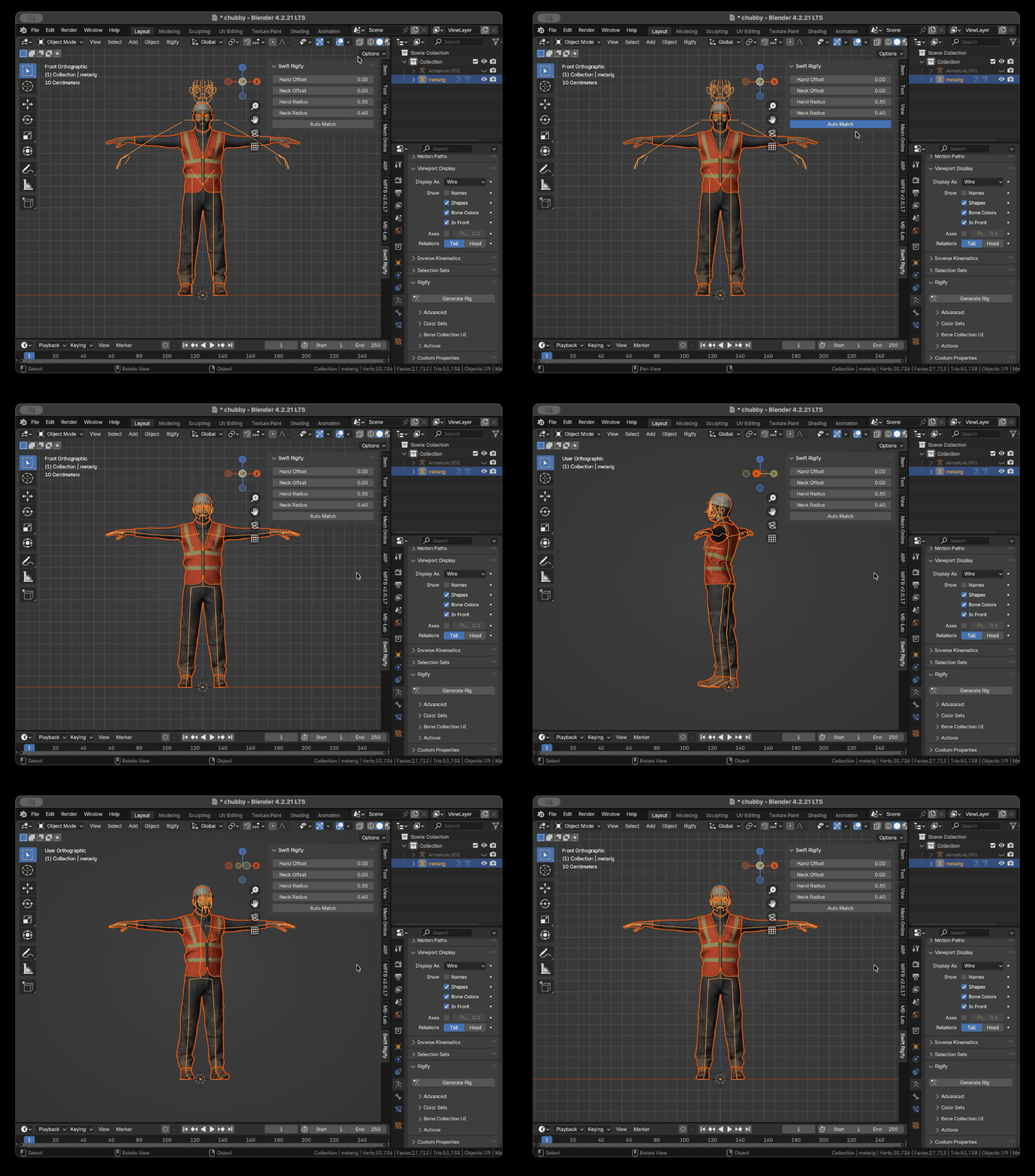
Raw result of automatic T-pose matching for Mixamo model
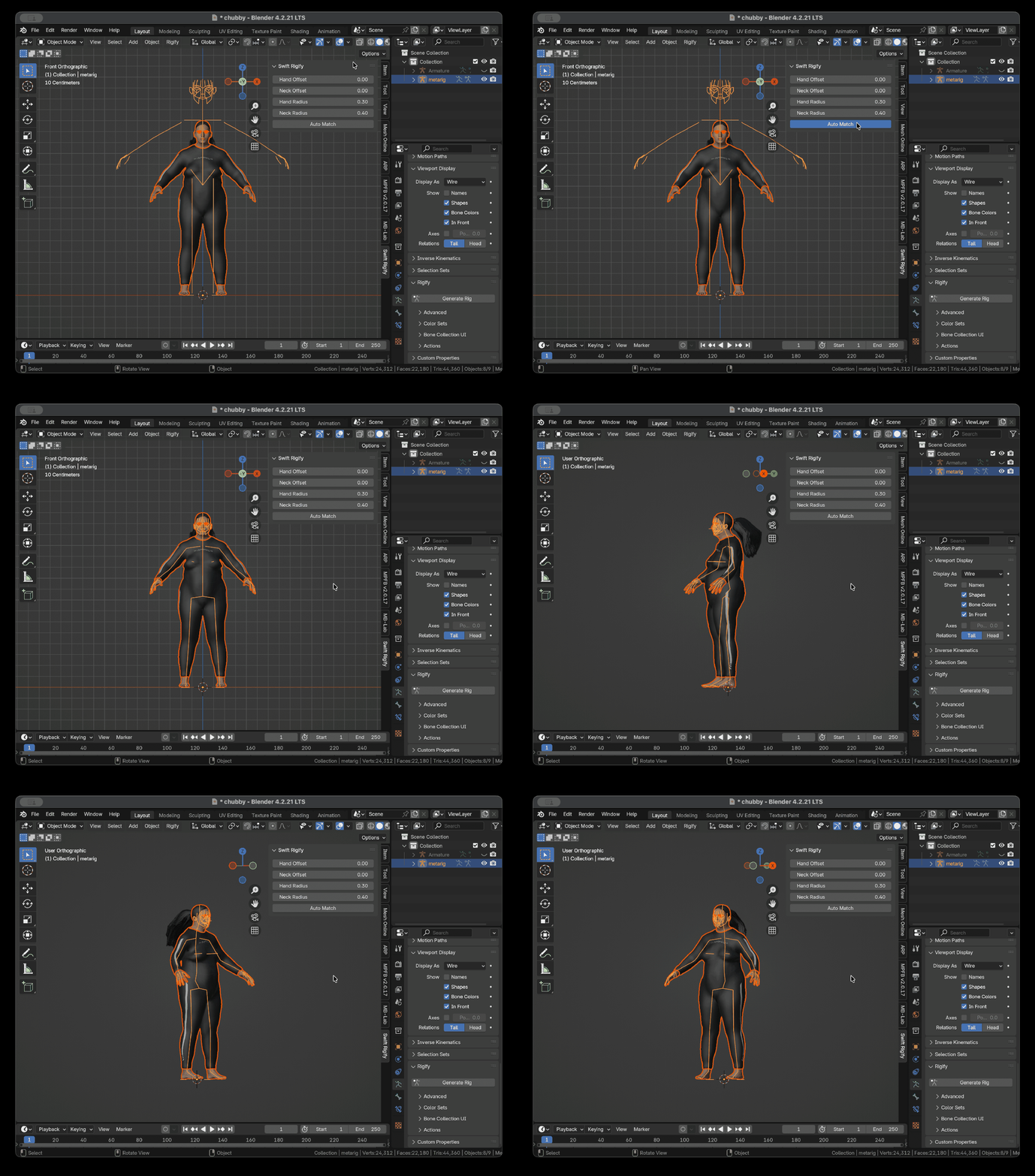
Raw result of automatic A-pose matching for MakeHuman chubby model
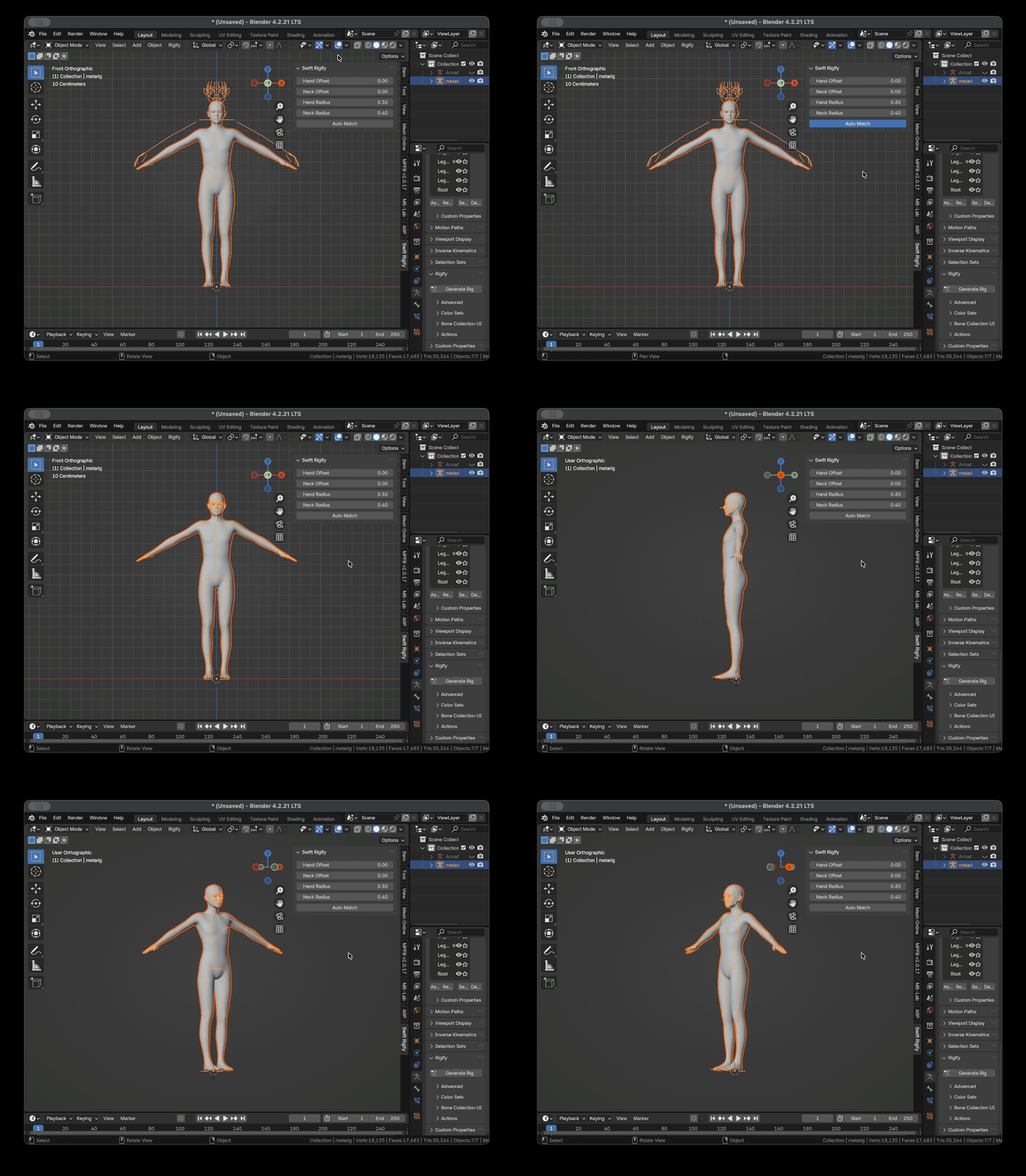
Raw result of automatic A-pose matching for CC Character Bases model
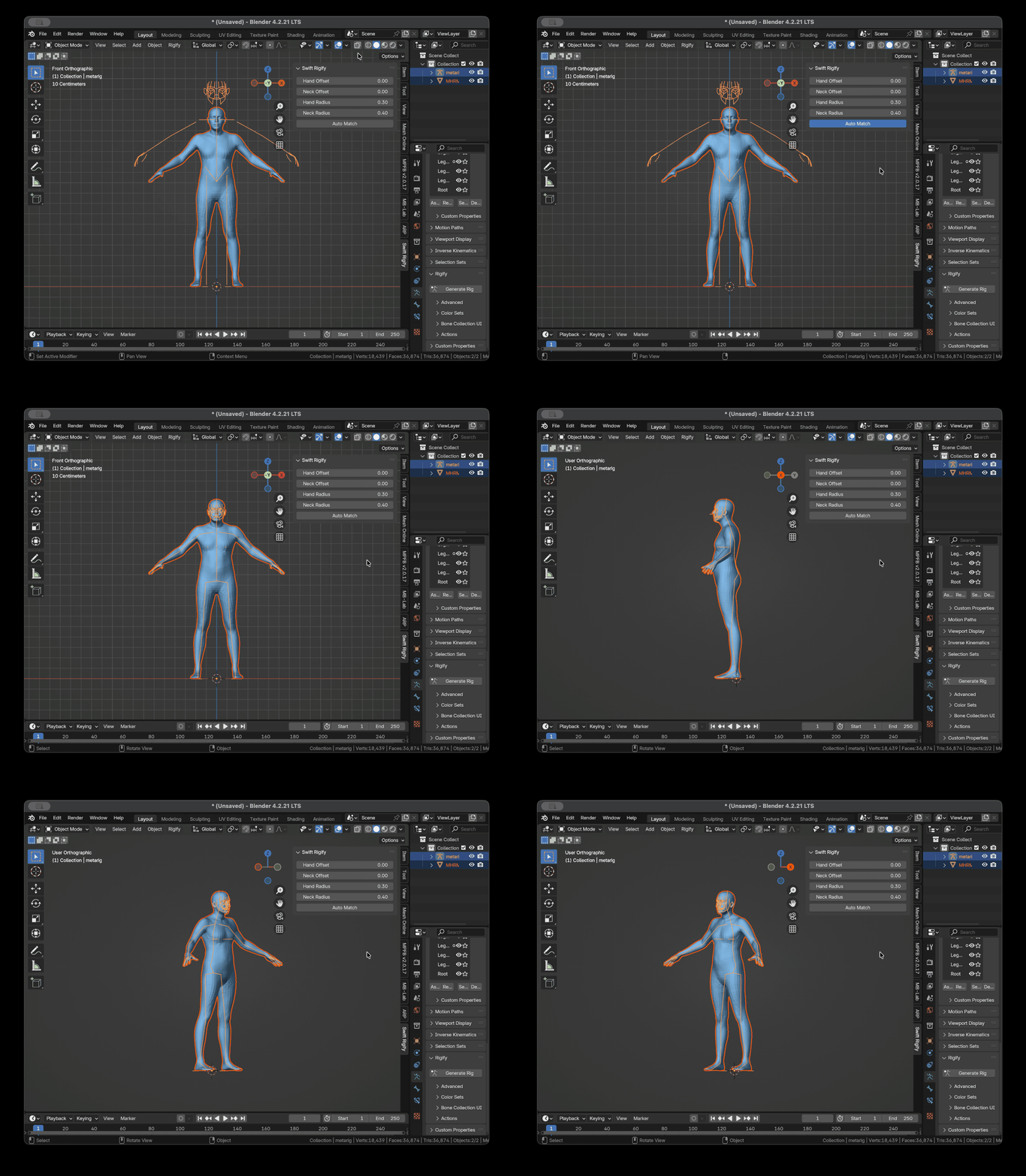
Raw result of automatic A-pose matching for Sloyd model
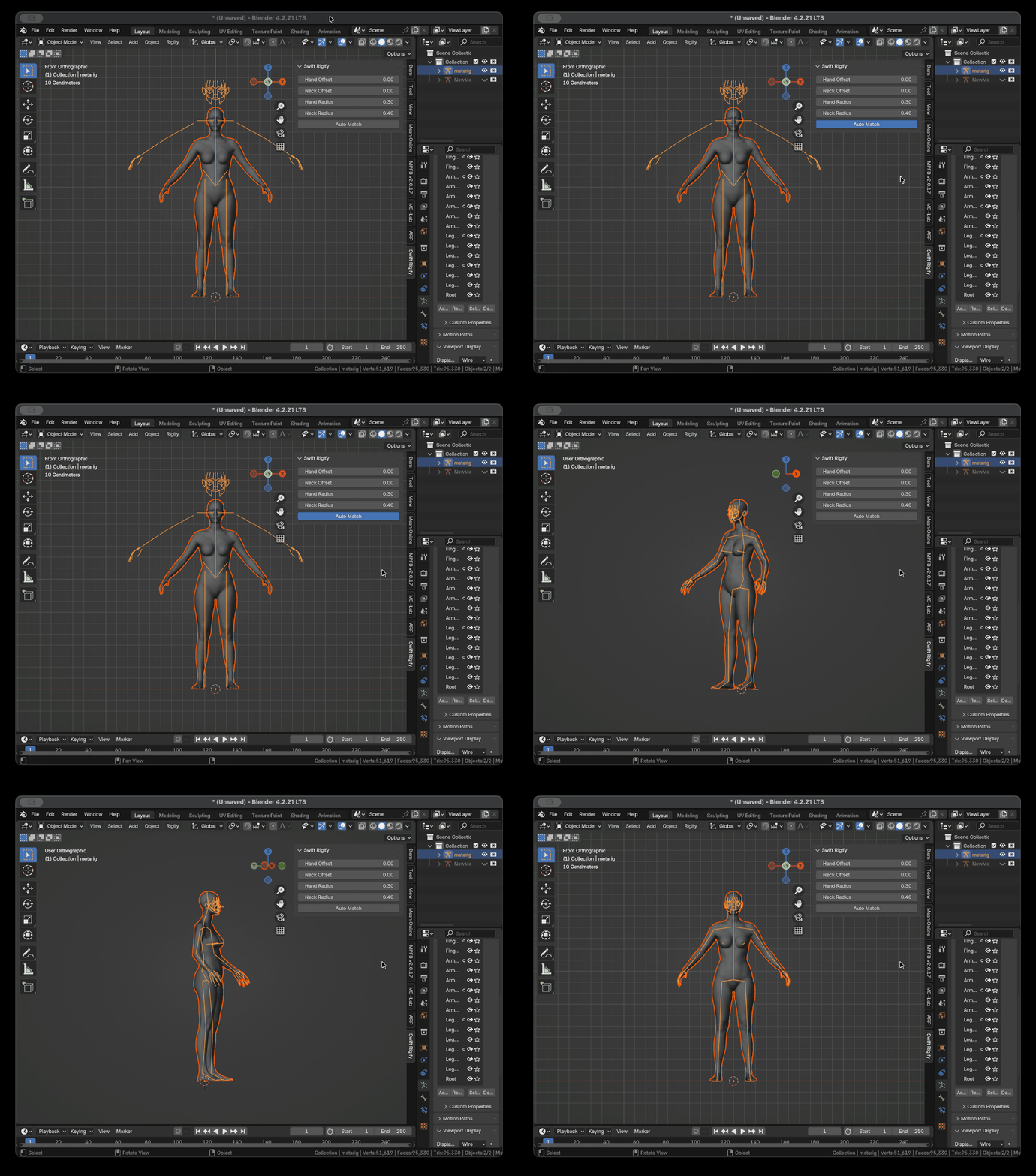
Raw result of automatic A-pose matching for MetaHuman model
SuperHive Store (Last updated on August 13, 2026)
Swift Rigify v1.0.0 ($16)
The add-on is under a dual-license.
The Python code of this add-on is under the GPL license.
The product package also includes a command-line utility.
The command-line utility is written in c++, which links to c++ libraries to generate the binary file.
The add-on uses the command-line utility via a simple system call.
Note: The command-line utility is NOT under GPL license.
1. First, you need to import the realistic 3D human model, move the character so that its heels align with the origin of the coordinate system, as shown in the picture below:
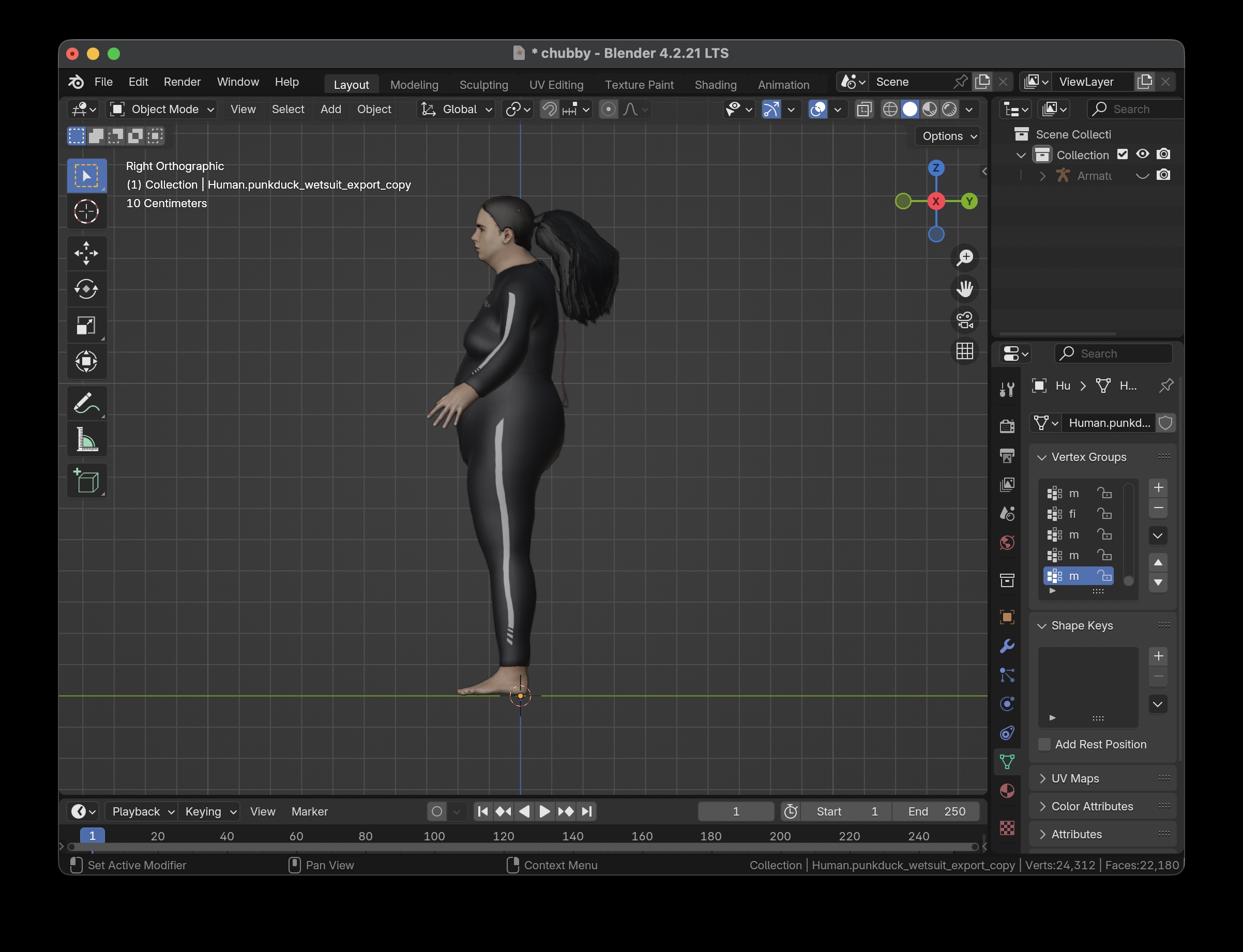
Side view
2. Then apply the transformations (Ctrl A -> Apply -> All Transforms).
3. Add a basic Rigify humanoid meta-rig or a humanoid meta-rig with facial and hand bones.
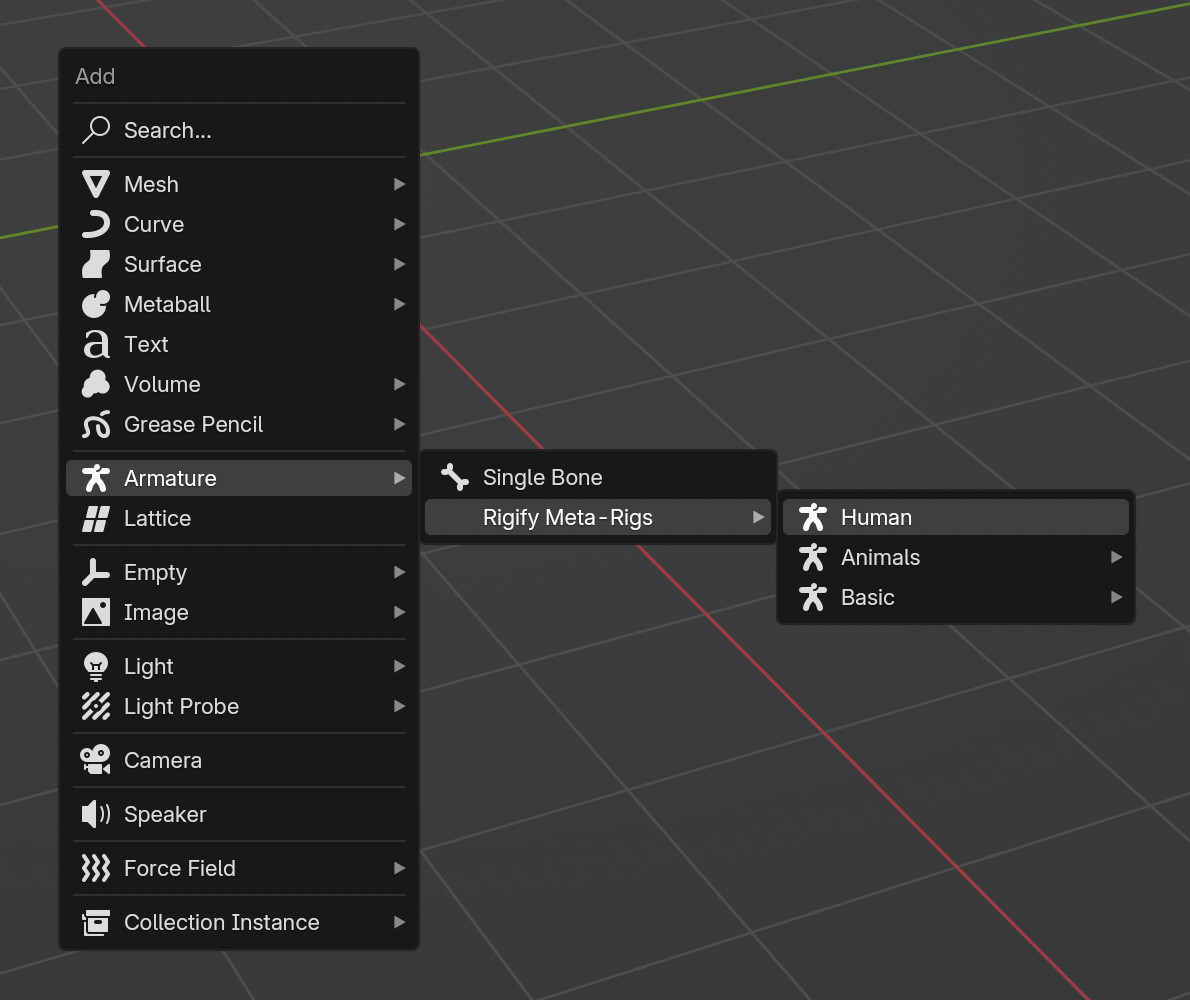
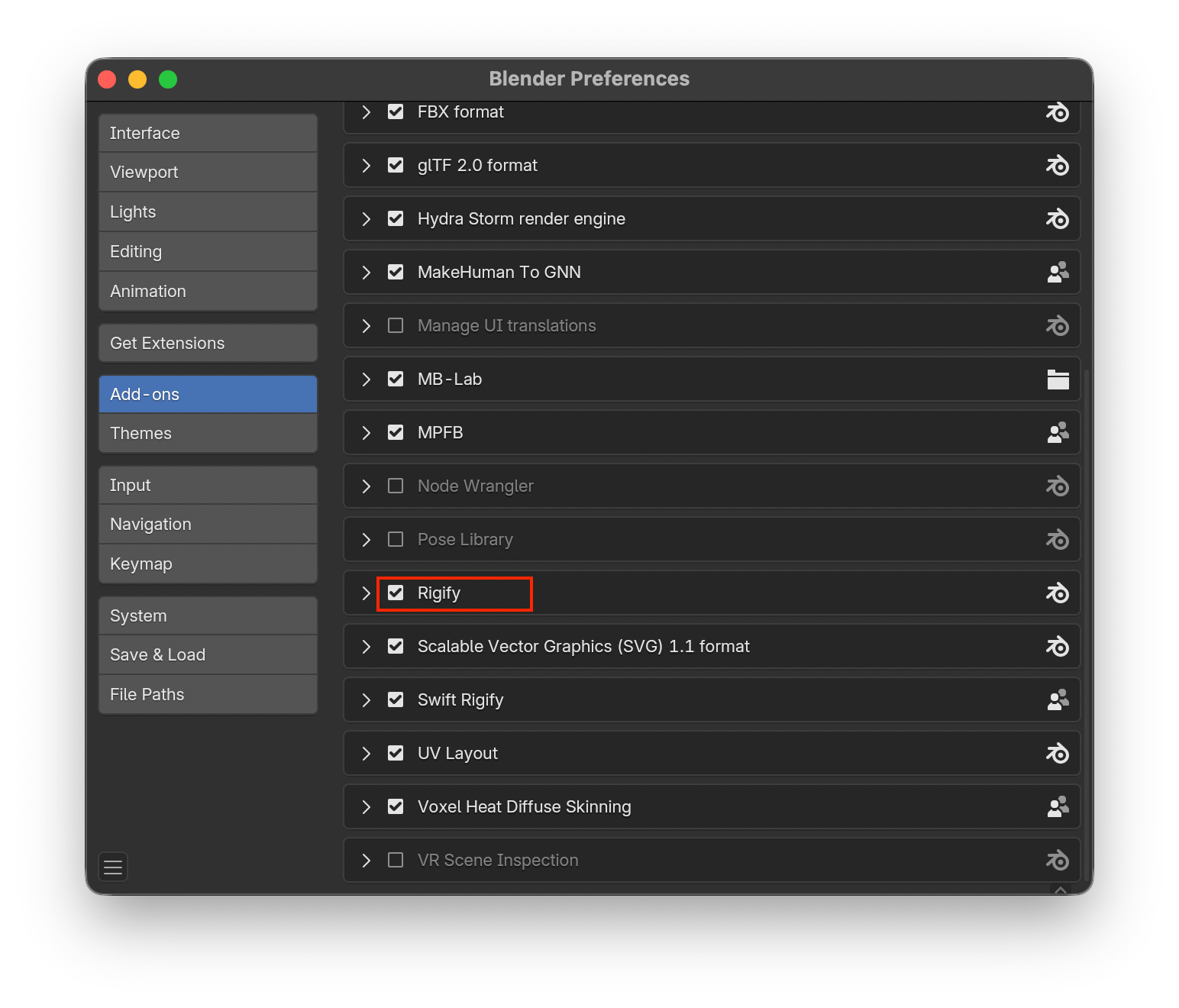
Note: Rigify is a very powerful pre-installed Blender add-on, you just have to enable it in the add-on section, as shown in the picture below:
4. Select both the realistic 3D human model and the Rigify meta-rig, switch to the 'Swift Rigify' tab on the right sidebar, and click the 'Auto Match' button, and the meta-rig will instantly auto-match to the realistic 3D human model.
5. Finally, just fine-tune the bone positions.
No internet connection is needed at runtime; all the data is handled locally.
Hand Offset: The offset from the wrist joint outward along the hand, measured in fractions of the hand’s length. It can be fine-tuned based on the automatic matching result.
Neck Offset:The offset from the neck joint going up along the head, measured in fractions of the head's height, can be fine-tuned based on the automatic matching result.
Hand Radius: The radius to detect the hand from the wrist joint, measured in meters, usually doesn't need adjustment.
Neck Radius: The radius to detect the head from the neck joint, measured in meters, usually doesn't need adjustment.
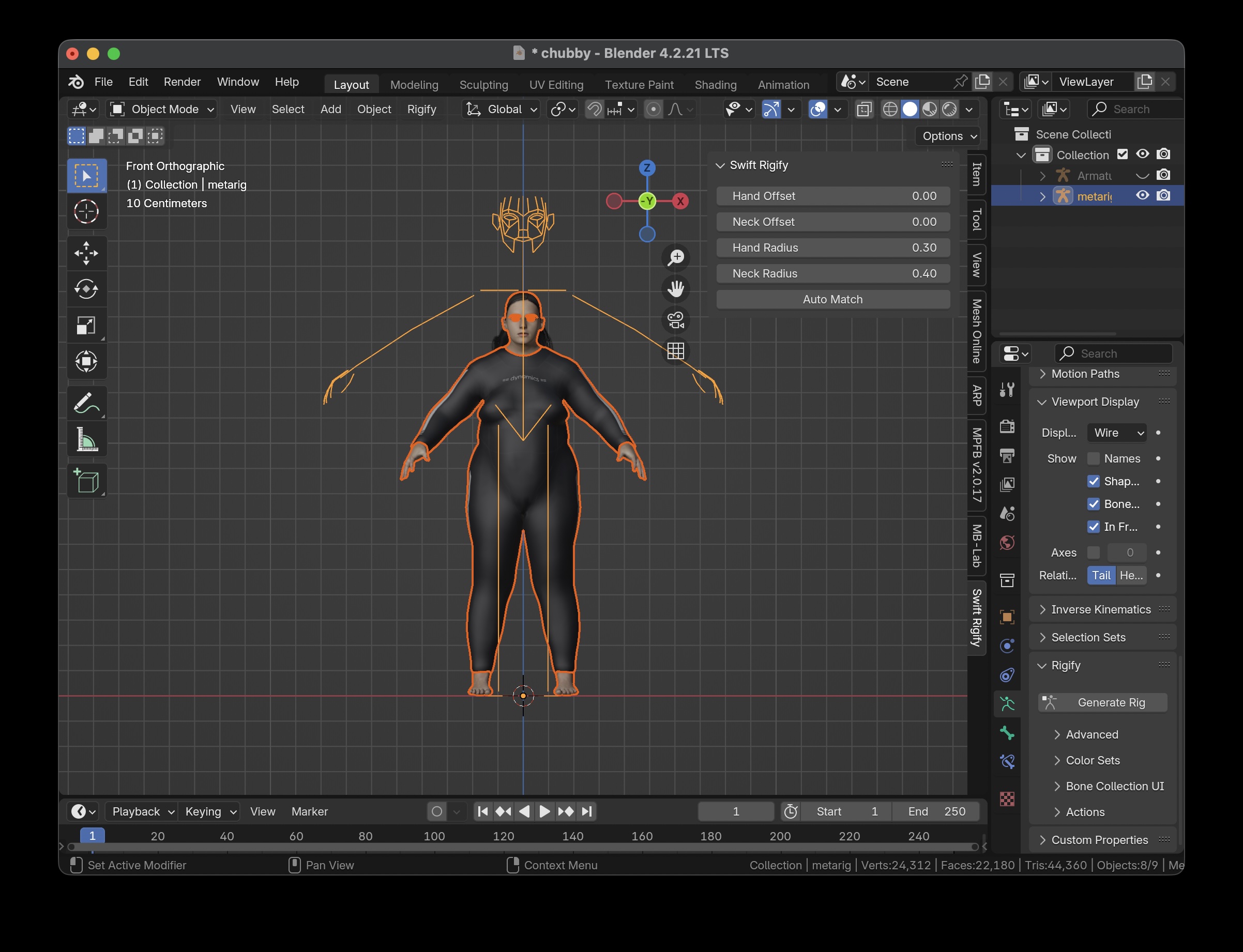
If you find that the automatic matching positions for the hands or head are inaccurate, you can adjust the corresponding offset. After running the automatic matching again, the matching positions for the hands or head can be moved to a more accurate spot.
Yes, absolutely.
Don't select the hair and hat, just select the body part and the Rigify meta-rig, then run auto-match, and you'll get the best result.
Nope, because the AI models were only trained on realistic 3D human models.
This is a normal phenomenon of AI automatic matching. You can choose the best result from multiple automatic matching results.
Swift Rigify focuses on solving the most time-consuming bone alignment steps in Rigify. Combined with mainstream skinning, retargeting, and exporting add-ons, like 'Voxel Heat Diffuse Skinning' for skinning, 'RigiMap' for retargeting, and 'Better FBX Importer & Exporter' for exporting, it can set up a complete character workflow, greatly reducing the upfront rigging costs.
Copyright © 2024-2026 Hangzhou JupiterShot Technology Co., Ltd.